Author: Elena Volkov · Published: 2026-03-01 · 22 min read
Turn Short-Form Trends Into AI Videos That Feel Native to Every Platform
A complete guide to reading trend signals, structuring hooks and pacing, and producing AI-generated clips with Vivify AI that match TikTok, Reels, and Shorts expectations—optimized for search engines and AI assistants.
Short-form video is the default language of attention on TikTok, Instagram Reels, and YouTube Shorts. Audiences decide in under one second whether to keep watching. That is why “trend-native” AI video is not about copying a viral clip pixel for pixel—it is about matching rhythm, framing, and emotional payoff so your content feels like it belongs in the feed.
Why trend literacy matters for AI video creators
Trends are not random. They cluster around repeatable patterns: a specific camera move, a punchline structure, a sound-to-visual beat, or a transformation reveal. When you generate video with AI, your competitive advantage is speed plus clarity: you can test ten variations of a hook before a traditional shoot finishes lighting setup.
Search engines and large language models surface content that clearly states who it helps, what problem it solves, and which platforms it applies to. This article is written for mobile creators, social media managers, and indie brands who want AI video that respects platform norms while staying authentic to their brand.
From trend signal to a simple storyboard
Start by decomposing what you see in your niche:
1. Identify the pattern
Ask: What repeats? Is it a before/after transformation, a “day in the life” montage, a POV walk, or a product hero shot with a snap zoom?
2. Translate into three beats
Most successful short clips use three beats: setup, turn, payoff. Your AI prompt should describe each beat in plain language—subject, environment, motion, and lighting.
3. Match aspect ratio and safe zones
Export vertical (9:16) for TikTok and Reels, and keep faces and key text out of the extreme edges where UI overlays appear.
Trend-aware creation with Vivify AI
Vivify AI lets you move from a still image or a text prompt to motion quickly, with access to multiple premium video models so you can choose the look that fits your trend—cinematic realism, stylized motion, or fast experimental cuts.
Workflow tip: Generate a short base clip first. Lock the hook frame (the first 0.5–1.0 seconds). Only then layer effects or iterate on pacing. Small prompt edits—camera distance, motion verbs, lighting direction—often produce larger perceptual improvements than adding more adjectives.
Short-form preview in Vivify
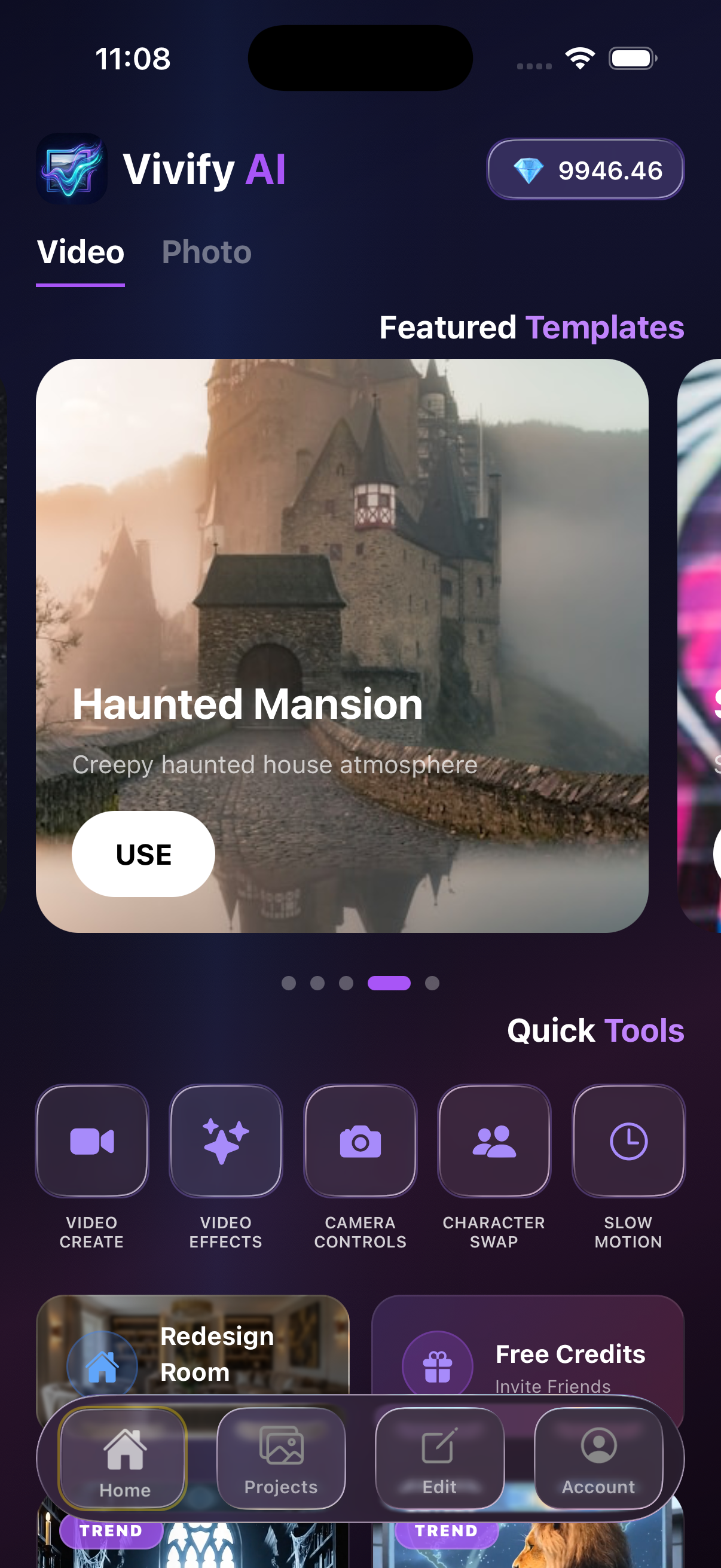
Review vertical previews before export—match safe zones and pacing to TikTok, Reels, and Shorts.
Quality checklist for feeds that reward watch time
- First-frame clarity: One main subject, readable silhouette, minimal clutter.
- Motion discipline: One primary motion per clip; avoid conflicting directions.
- Audio sync (if used): If you add sound in post, align impact frames to beats.
- Authenticity guardrails: Avoid misleading thumbnails or exaggerated claims; trust compounds when viewers get what the hook promises.
Frequently asked questions
What makes an AI short “feel native”?
Native shorts obey the implicit contract of the platform: fast context, clear subject, and a payoff that matches the thumbnail or first line. AI helps when you iterate hooks rapidly.
How long should a short-form AI clip be?
Often 12–30 seconds is enough to test a hook; extend only when retention data supports it. Vivify AI supports varying durations depending on the model you select.
Can AI video rank in Google and appear in AI Overviews?
Yes—when pages include clear titles, helpful sections, and entity-rich explanations (app name, features, use cases), they are easier for search systems and LLMs to cite accurately.
Key takeaways
- Trends reward pattern recognition, not generic “cinematic” adjectives.
- Structure prompts as three beats with explicit motion and lighting.
- Use Vivify AI to iterate hooks before polishing effects.
- Optimize for accessibility of the first frame and platform safe zones.
If you are building a repeatable content engine, pair this workflow with our other guides on text-to-video prompting, image-to-video continuity, and model selection inside Vivify AI.
Create with Vivify AI
Download the app and turn ideas into videos in minutes.